LeadFlux AI Review 2026: Features, Pricing, Pros & Who It's For
An independent look at LeadFlux AI, its campaign-building tools, pricing, features and potential use cases.
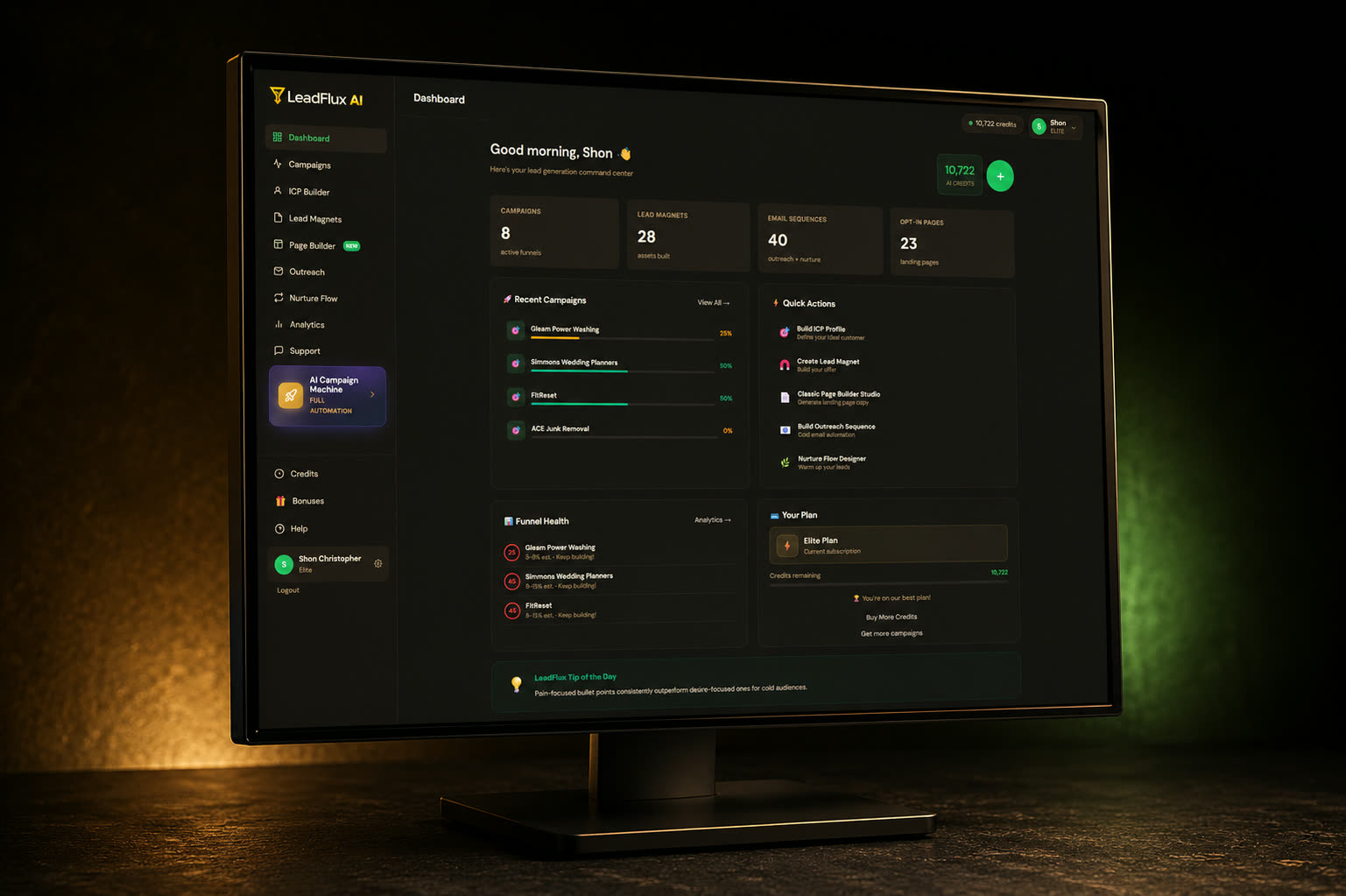
Quick product overview
The summary below reflects the Starter offer as presented on the official LeadFlux AI page at the time of writing.
- Product
- LeadFlux AI
- Category
- AI lead generation & campaign building software
- Starter price
- $37 one-time payment
- Subscription
- No monthly subscription on the Starter offer
- Starter credits
- 350 credits included
- Templates
- 150 designed templates
- Industries
- 40 industries
- Guarantee
- 30-day money-back guarantee
Pricing, features and availability may change. Visit the official website for the latest offer.
1. What is LeadFlux AI?
LeadFlux AI is an AI-assisted toolkit for building the individual components of a lead-generation campaign. Rather than producing one deliverable, it covers the sequence a marketer would normally work through by hand: defining the audience, creating the free resource that earns an opt-in, writing the page copy, building the capture page itself, drafting outreach and writing the follow-up emails.
The premise the vendor sets out is consolidation. Each of those tasks can be done with separate tools — a chat assistant for copy, a design tool for the magnet cover, a page builder for the opt-in page, an email platform for the sequence — and every handoff means re-explaining the same offer. LeadFlux keeps the steps in one workspace so they all draw on the same campaign brief.
Two capabilities are worth isolating because they are not simply text generation: the page builder outputs a live capture page from a template library or a drag-and-drop canvas, and the platform connects directly to mainstream email services so collected leads land in an existing list.
2. How does LeadFlux AI work?
The workflow starts with an offer — a product, service or promotion you want leads for. You describe it once, and the campaign steps build outward from that description.
- 01Describe the offer. This becomes the shared brief every later step reads from, which is what keeps the audience, page and emails talking about the same thing.
- 02Define the audience. The ICP and market research tool produces a profile of who the offer is for and the concerns worth addressing.
- 03Create the lead magnet. The builder writes and formats the opt-in asset, with an optional generated cover taken from the magnet's own title and author.
- 04Write and build the page. Opt-in copy is generated, then a capture page is assembled from a template, a blank canvas or the copy studio.
- 05Connect the email platform. The page is wired to the email service you already use so new leads flow into a list without manual exporting.
- 06Add outreach and follow-up. The outreach generator drafts first-contact messages and the nurture writer produces the follow-up sequence, ready to paste into your email tool.
Each step remains under your control: output is generated, then read, edited and published by you. Generation draws on the credit balance included with your plan, so it is worth knowing roughly how many campaigns you intend to build.
3. Key LeadFlux AI tools
The official page presents six tools, one for each stage of a campaign. The descriptions below summarise what the vendor states each one produces.
ICP & Market Research
You hand the tool an offer and it maps the buyer behind it — who they are, the problems they care about and the angle most likely to land. It is the step that defines who the rest of the campaign is written for.
Lead Magnet Builder
Generates the free resource people opt in to receive: guides, checklists and cheat-sheets, written and formatted as a finished asset. An eCover option renders a cover from the magnet's own title, subtitle and author; the vendor states Starter includes 20 cover generations per month.
Opt-In Copywriter
Produces the copy a capture page needs — headlines, subheads and supporting bullets — so the words on the page match the magnet being offered.
Page Builder
Three routes to a live capture page: a blank drag-and-drop canvas, the 150-template catalogue across 40 industries, or the copy studio. Geo-targeting, A/B testing, email-platform connection and export sit in the toolbar.
Outreach Generator
Drafts the first-contact messages — cold email and direct-message openers — for reaching prospects before any nurture sequence begins.
Nurture Sequence Writer
Writes a follow-up email series in HTML and plain text, intended to be dropped straight into the email platform you already use.
4. Page builder & templates
The page builder is the part of LeadFlux that separates it from a text generator, because it produces a working capture page rather than copy you then have to implement elsewhere. The vendor lists three starting points: a blank drag-and-drop canvas, the template catalogue, or the copy studio.
On the official page the template library is stated as 150 designed templates spanning 40 industries, with geo-targeting, A/B testing, email-platform connection and one-click export available from the builder toolbar. Export matters practically: a finished page can be taken elsewhere rather than living only on the vendor's infrastructure.
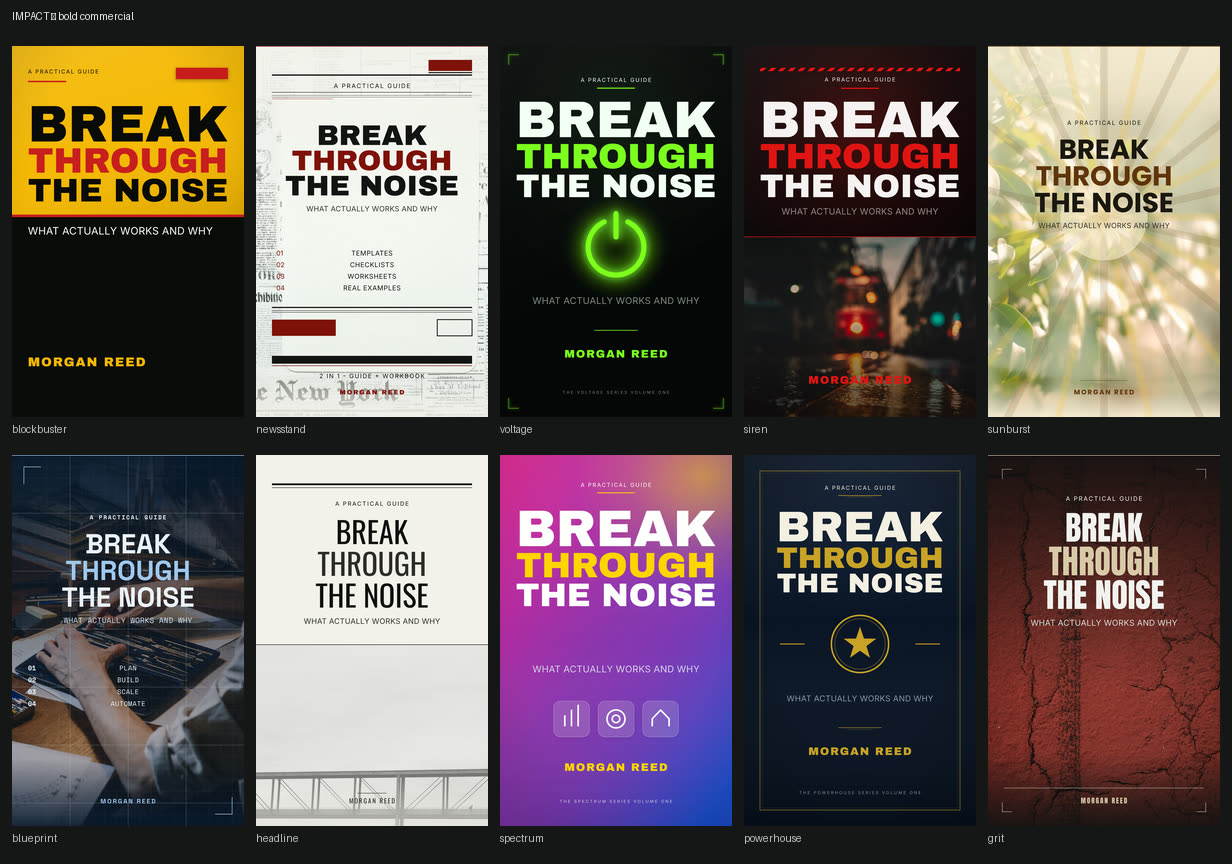
Two limits are worth reading carefully on the official page: cover generations are stated at 20 per month on the Starter tier, and larger or more automated build volumes are positioned in the vendor's upgrade path.
5. Email marketing integrations
A capture page is only useful if leads arrive somewhere you can email them. LeadFlux advertises direct connections to a set of mainstream email platforms, with Zapier available for services outside that list.
- Brevo
- Mailchimp
- ConvertKit
- GetResponse
- MailerLite
- ActiveCampaign
- Campaign Monitor
- Zapier
If your email platform is not on that list, the practical question is whether a Zapier connection covers what you need. Integration lists change, so confirm your specific platform on the official page before buying.
6. Who is LeadFlux AI for?
This is not a tool for everyone. It suits people who already have an offer to promote and who are willing to learn the workflow — the vendor itself is explicit that it is a tool the user drives, not an automated income system. The groups below are the clearest fit.
Digital marketers
Anyone assembling campaigns regularly and looking to shorten the research, copy and page-build steps rather than replace their judgement.
Entrepreneurs & small business owners
Owners promoting their own offer who need a capture page and a follow-up sequence without commissioning either.
Affiliate marketers
Promoters who build a lead magnet and email sequence around an offer instead of sending traffic straight to a vendor page.
Online business owners
Operators with an existing list and email platform who want new campaigns produced in one workflow.
Content creators
Creators converting an audience into an email list with an opt-in asset and a hosted capture page.
People building lead-generation funnels
Users comfortable driving a tool who want the research, magnet, page, outreach and nurture steps to come out of one read of the same offer.
It is likely to be a poor fit for anyone expecting results without traffic, anyone unwilling to edit generated output, or anyone whose main goal is selling campaign services to clients on day one — that use requires the separate commercial licence.
7. LeadFlux AI pricing
At the time of publication the official offer page lists the Starter licence at $37 as a one-time payment, described as launch pricing, with no monthly fee on that tier. It includes 350 credits and a 30-day money-back guarantee stated by the vendor.
Starter is a personal-use licence: it covers campaigns for your own offers, projects and sites. The vendor presents additional capacity, more automated building and a commercial licence for client work as separate optional upgrades further along its product path. Buying Starter alone should not be read as including every LeadFlux feature or a commercial licence.
8. What is included with Starter?
The list below summarises what the official page attributes to the Starter offer. Verify it against the current page, since launch offers are revised by vendors.
- The six campaign-building tools
- 350 credits included with the Starter offer
- 150 designed templates across 40 industries
- Email platform connectivity, plus Zapier
- Personal use — campaigns for your own offers, projects and sites
- Five launch bonuses stated by the vendor
- 30-day money-back guarantee
Licence scope
The official page describes Starter as a personal-use licence for your own offers and projects. Building campaigns for paying clients requires a separate commercial or agency licence, which is sold as an upgrade. The $37 Starter purchase does not, on its own, grant the right to sell campaign-building services.
9. Bonuses
The current offer page lists five bonuses included with Starter during its launch window. They are educational materials rather than software. Availability is set by the vendor, so confirm they are still attached to the offer before purchasing.
- 01Your First Campaign in 60 Minutes
A walkthrough from an empty workspace to a completed campaign in a single sitting.
- 02The Offer & Lead-Magnet Vault
Offer angles and magnet ideas to point the tools at, as a starting point rather than a blank screen.
- 03The Traffic Starter Guide
Free and paid approaches to getting visitors onto a finished capture page, written for beginners.
- 04The Niche Goldmine Cheat-Sheet
A shortlist of local markets the vendor considers responsive, with the reasoning for each.
- 05The Agency Path
A one-page outline of what moving from personal use to client work involves.
10. Pros & considerations
The points below are drawn from what the official page verifies and from the general characteristics of this category of software. We have not invented user complaints or technical faults.
Pros
- Six campaign-building tools consolidated into one workflow
- One-time Starter pricing with no monthly subscription on that tier
- A landing page builder with drag-and-drop, templates and export
- Lead magnet creation, including generated covers
- Opt-in copy and a full nurture email sequence in one place
- 150 templates spanning 40 industries
- Direct connections to mainstream email platforms, plus Zapier
Considerations
- The Starter offer runs on a credit system — 350 credits are included, and generation consumes them.
- Estimate how many campaigns your intended usage implies before assuming the included credits will cover it.
- The vendor positions larger workloads and more automated builds further up its upgrade path.
- Building campaigns for paying clients requires the separate commercial licence, not the $37 Starter licence.
- Cover generation is stated as 20 per month on Starter, so heavy design use is capped.
- The output is AI-generated and needs reading and editing — it is a tool you drive, not a hands-off system.
- Launch pricing, bonuses and upgrade terms are set by the vendor and should be verified on the official page.
11. LeadFlux AI vs building a campaign manually
The useful comparison is not a performance claim but a workflow one. Every step below can be done manually with separate tools; what LeadFlux changes is how many tools and handoffs are involved.
- Market research
- Manually, you research the audience yourself or prompt a chat tool and save the result somewhere. In LeadFlux the ICP step is part of the campaign record the later steps read from.
- Lead magnet
- Manually, you write the asset and then format and cover it in a separate design tool. Here the magnet and its cover are produced inside one builder.
- Landing page
- Manually, copy has to be moved into a page builder, styled and given a working form. The Page Builder starts from a template or canvas and outputs the page itself.
- Email sequence
- Manually, each email is written in turn and the angle can drift between sessions. The sequence writer works from the same offer as the earlier steps.
- Outreach
- Manually, openers are written per prospect or per list. The outreach generator drafts the first-contact messages from the same brief.
- Tool integration
- Manually, you stitch together a writing tool, a design tool, a page builder and an email platform. LeadFlux keeps the steps in one interface and connects to the email platform directly.
- Time and complexity
- The practical difference is fewer handoffs between tools and less repeated context. It does not follow that the output is automatically stronger — that still depends on the offer, the traffic and the editing.
A capable marketer with existing subscriptions may prefer their own stack. The case for consolidation is strongest for someone who does not already own a page builder and copy workflow, or who builds campaigns often enough that the repetition is the real cost.
12. Final assessment
LeadFlux AI is likely to be most useful to someone who already has an offer and an audience plan, and who wants the mechanical parts of a lead campaign produced in one place: the audience profile, the magnet, the page, the outreach and the follow-up emails. Digital marketers, affiliate marketers, small business owners and creators building an email list are the clearest fits.
What stands out in the toolset is the two capabilities that are not simply text generation — a page builder that outputs a real capture page from 150 templates, and direct connections to mainstream email platforms so leads arrive in an existing list. Those are the steps where a purely generative tool usually stops and manual work resumes.
Before buying, we would suggest confirming four things on the official page: the current Starter price and what its launch window means, how far 350 credits go for the number of campaigns you intend to build, which capabilities sit behind optional upgrades, and the exact scope of the personal-use licence if client work is your goal. It is a workflow tool with a modest one-time entry price — the results still depend on the offer you point it at and the traffic you send.
LeadFlux AI
Check the current offer, feature tiers and refund terms directly with the vendor before you buy.
More reviews
- BIOHACK-IT Women’s Health & Hormones Workshop Review: Miami 2026 Event Guide
- HighLevel Bootcamp Review: 30-Day Free Trial + Live Training
- AI Business Summit 2026 Review: What to Expect, Speakers & Event Details
- BioStack Review 2026: Features, Pricing, Pros & Who It's For
- ProsperaBuilder Review 2026: Features, Pricing & Who It's For
- Dragon Romantasy Book Builder Review: AI-Powered Novel Creation for Fantasy Writers